

Most practice owners have three questions they cannot answer quickly. Why do patients pick the practice down the street? Is Google Ads worth it in our market? How much revenue is already sitting in our own patient file? The right ChatGPT prompts for dentists can give you a solid first answer to all three in an afternoon.
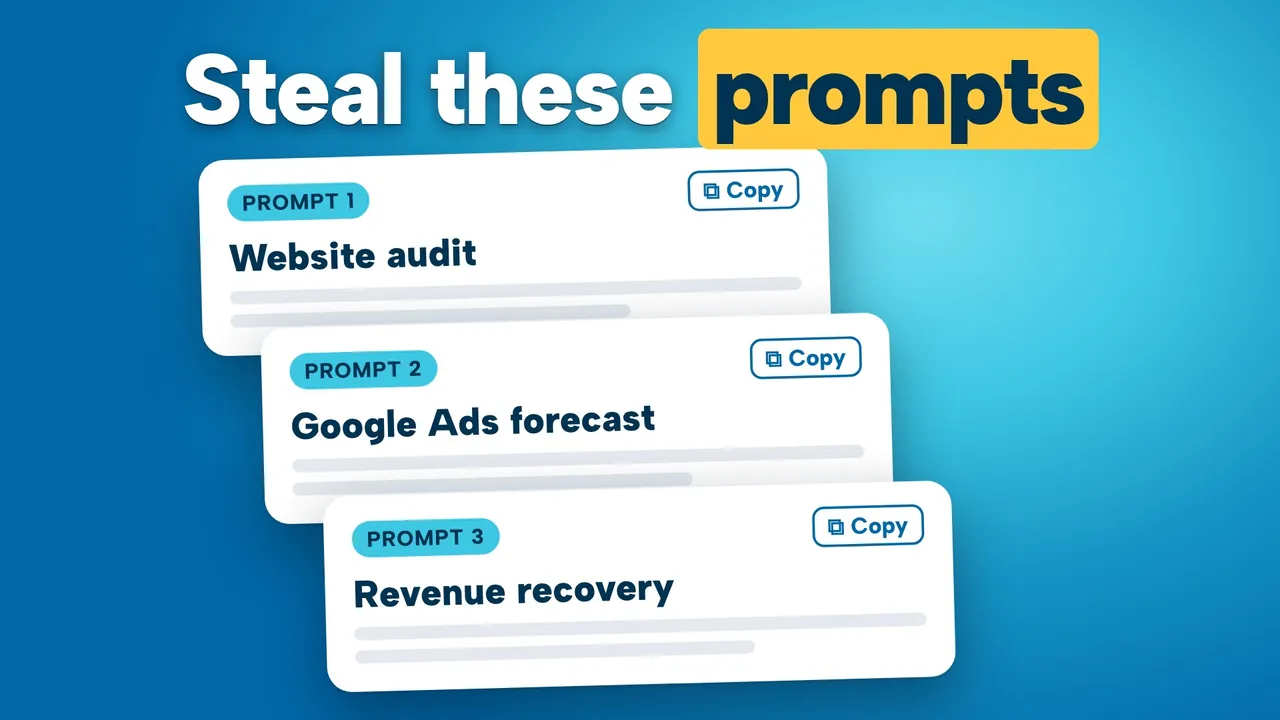
Below are three copy-and-paste prompts: our versions of the ones we showed in the training. For each, you get what it does, what to gather first, what good output looks like and how to check it. We also cover why you should judge marketing by production, not cost per call, and where the hidden revenue in lapsed patients comes from. The full training is in the video below.
Video chapters (18)
- 0:00Welcome and the free AI prompts preview
- 3:58AI as a platform: attract, convert, retain
- 6:16Agentic commerce: AI agents booking dentists
- 8:45Where new dental patients come from now
- 10:50Google Business Profile and Maps still lead
- 13:20Informational vs transactional searches and AI Overviews
- 15:37SEO vs AEO: ranking vs being recommended
- 17:26AEO trust signals: reviews, PR, Reddit, video
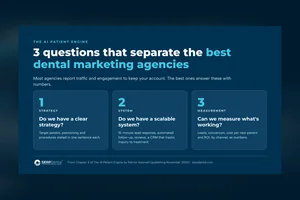
- 20:30Why marketing fails: strategy, system, measurement
- 22:12SMILE framework: website and Google Ads
- 24:49AI across the patient journey: missed calls
- 28:44Link every dollar: cost per call vs production
- 31:07Hidden revenue in lapsed patients
- 32:05Five things to do this week
- 33:31AI prompt 1: competitive website audit
- 33:55AI prompt 2: Google Ads opportunity forecast
- 36:35AI prompt 3: revenue recovery from your patient file
- 38:59Free strategy session and wrap up
Key takeaways
- Structure every prompt: a role, a task, your inputs in brackets, step-by-step instructions and a set output format.
- Judge by production, not cost per call: a $50 call returning 5 to 1 beats a $20 call at 1 to 1.
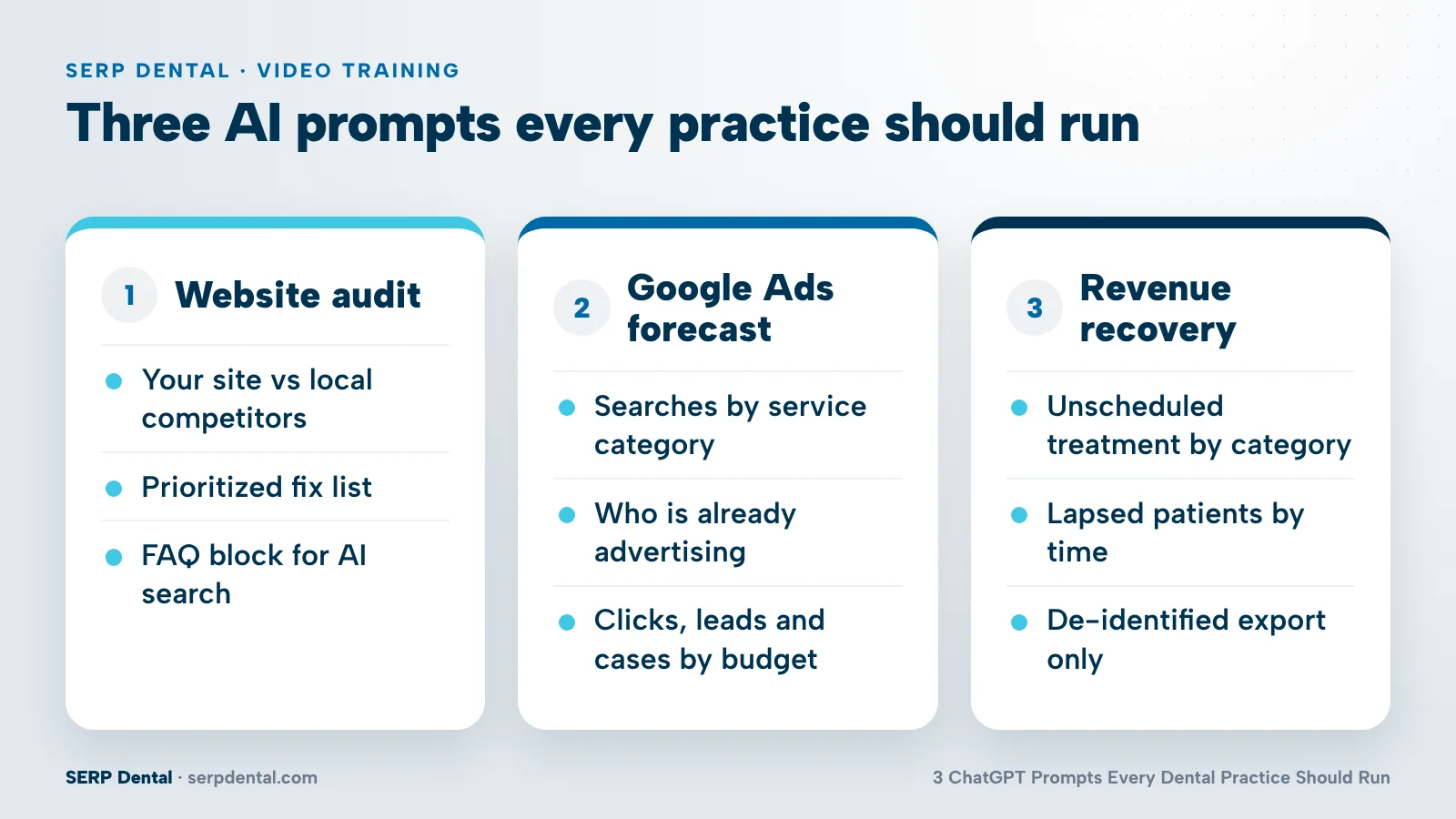
- Prompt 1 compares your website and key service page with local competitors and writes an FAQ block for AI search.
- Prompt 2 forecasts Google Ads clicks, leads, accepted cases and cost per lead at several budgets for your market.
- Prompt 3 finds unscheduled treatment and lapsed patients, using a de-identified export only. Never paste patient data into public AI tools.
What makes ChatGPT prompts for dentists actually useful?
Useful ChatGPT prompts for dentists read like a brief to a smart analyst: a role, a task, the inputs only your practice can supply, step-by-step instructions and a set output format. A one-line question gets a generic answer. A structured prompt gets a working document you can act on.
We think of AI as a platform, not a single tool: it changes how you attract, convert and retain patients. The three prompts map to those jobs.
| Prompt | Question it answers | What you supply | Stage |
|---|---|---|---|
| 1. Competitive website audit | Why would a patient pick a competitor's site over ours? | Your URL, a key service page, competitor URLs | Attract and convert |
| 2. Google Ads opportunity forecast | Is there room for us in paid search, and what would it cost? | Address, service area, services, budgets, your real numbers | Attract |
| 3. Revenue recovery | How much money is already sitting in our patient file? | A de-identified export from your practice management system | Retain |
All three work in ChatGPT, Claude or Gemini. Replace everything in [BRACKETS], paste the prompt and attach files where asked. The more real numbers you add, the better the output.
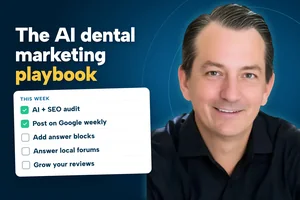
These prompts sit inside our SMILE system for dental marketing, which we lay out in the AI dental marketing playbook.
Why judge dental marketing by production instead of cost per call?
Cost per call tells you which channel makes the phone ring cheapest. Production tells you which channel creates revenue. When you stop at the call, you can move your budget into the channel that looks two and a half times more efficient and actually earns one fifth of the return.
Here is the scenario we walk through in the training at 28:44. You spend $1,000 in each of two channels.
| Channel A | Channel B | |
|---|---|---|
| Spend | $1,000 | $1,000 |
| Cost per call | $20 | $50 |
| Production generated | $1,000 | $5,000 |
| Return on ad spend | 1 to 1 | 5 to 1 |
| Decision if you only see calls | Put all the money here | Cut it |
| Decision if you see production | Cut it | Put all the money here |
Same budget, opposite decisions.
In our conversations with practices, roughly 10% can connect marketing to production at all, and only about half of those do it automatically (our honest guess is closer to 2%). The rest rely on a manual matchback.
The fix is simpler than most offices expect: a small piece of code connected to most practice management systems can run an automatic daily matchback. That is the work behind our dental lead tracking and analytics.
How much revenue is hiding in your lapsed patients?
Most practices have significant revenue sitting in patients they already know: diagnosed treatment that was never scheduled and patients who drifted past recall. The best patient is an existing patient, and you do not pay to acquire them twice, so this is often the fastest money in the practice.
Once AI can read your practice data, it can sort patients by what they still need, what it is worth and how long it has been since anyone reached out. Our partner MaxAssist runs this kind of analysis to show how many patients are lapsed and how much hidden revenue exists in a practice.
Prompt 3 below is a do-it-yourself version. It will not replace a full analysis, but it shows the size of the opportunity before you spend another dollar on new patient marketing.
Prompt 1: How does your website stack up against local competitors?
This prompt compares your website and one key service page with the practices you compete against, then gives you a prioritized fix list and a ready-to-paste FAQ block. It answers a simple question: when a patient or an AI engine looks at your site next to theirs, who looks like the better choice?
Your website deserves the same care as your reception area, yet we still see template sites built years ago because they were cheap at the time. Here is our version of the prompt from the training (it starts at 33:31):
Role: You are an experienced dental marketing strategist who specializes in practice websites, local SEO and AI search (answer engine optimization).
Task: Audit my practice website against my top local competitors and tell me what to change so more patients choose us, both on Google and in AI answers from tools like ChatGPT, Claude and Gemini.
My inputs:
Practice website: [YOUR WEBSITE URL]
Key service page to focus on: [PAGE URL, for example your implants or Invisalign page]
Location and area we serve: [CITY, STATE, ZIP CODES OR NEIGHBORHOODS]
Top local competitors: [COMPETITOR URL], [COMPETITOR URL], [COMPETITOR URL]
Services we most want to grow: [SERVICES]
Instructions:
1. Review my homepage and key service page, then the closest equivalent pages on each competitor site.
2. Compare every site on: clarity of the main offer, trust signals (reviews, doctor credentials, video), how easy it is to call or book, and the mobile experience.
3. Check whether each key page answers the questions patients actually ask about [SERVICE] (cost, insurance, financing, timing, what to expect) in short, direct answers an AI engine could quote.
4. Identify the three biggest gaps where competitors are stronger than us, and the areas where we already have an advantage.
5. Write an FAQ block for my key service page: the questions patients ask most, each with a plain-English answer of two to three sentences.
6. If you cannot access a page, say so. Do not guess or invent details about any site.
Output format: a comparison table (one row per site, each factor rated strong, average or weak), a short summary of gaps and advantages, a prioritized fix list tied to specific pages, and the FAQ block, ready to paste.
What you need before you run it
Your homepage, the service page that matters most to growth, and the sites of the practices that show up when you search for that service in your area.
What good output looks like
A clear table, specific fixes ("add financing details to the implants page", not "improve trust") and a plain-language FAQ block, which is often the quickest win for AI search.
How to sanity check it
Open each competitor site and confirm what the AI claims it saw; discard any row for a page it could not load. For the bigger picture on why AI engines recommend some practices and skip others, see SEO vs AEO for dentists; for the full list of fixes, see how to get ChatGPT to recommend your dental practice.
Prompt 2: Is there a Google Ads opportunity in your market?
This prompt builds a dental Google Ads forecast for your area: population, household income, search volume by category, who is already advertising, how to split a budget and what each budget level could produce. It tells you whether paid search is worth testing before you commit real money.
Google Ads is one of the few marketing dials you can actually turn. Dental is competitive, which is why it pays to find the pockets of opportunity first. Here is our version of the prompt (see the output walkthrough at 33:55):
Role: You are a Google Ads strategist who plans and forecasts campaigns for dental practices.
Task: Estimate the Google Ads opportunity in my market, then recommend a starting campaign plan and a forecast at several budget levels.
My inputs:
Practice address: [STREET, CITY, STATE, ZIP]
Area we want patients from: [RADIUS OR ZIP CODES]
Services we want to grow: [for example implants, Invisalign, emergency, cosmetic, new patient exams]
Average value of a new patient or accepted case, by service: [YOUR NUMBERS]
Monthly budgets to test: [BUDGET LEVEL 1], [BUDGET LEVEL 2], [BUDGET LEVEL 3]
Optional, our real numbers: [COST PER LEAD], [CALL ANSWER RATE], [CASE ACCEPTANCE RATE]
Instructions:
1. Market snapshot: population and median household income for my area.
2. Estimate monthly searches for dental services in my area, grouped by category. Say where each figure comes from, or label it as an estimate.
3. Competition: which practices appear to advertise heavily on these searches, how competitive each category is, and whether any heavy advertiser is located very close to us.
4. Campaign plan: how to split each budget across the categories, and why.
5. Forecast for each budget level: clicks, leads, accepted cases, blended cost per lead and return on ad spend. Use my real numbers where I gave them. Where I did not, use typical dental benchmarks and label every one as an assumption.
6. List the assumptions that would change the forecast most if wrong.
Output format: a market snapshot table, a competition summary, a campaign plan table (category, share of budget, rationale), a forecast table with one row per budget level, and a list of assumptions.
What you need before you run it
Your service area, the services you want to grow, what a case is worth to you, the budgets you would test and, ideally, your real cost per lead and conversion numbers.
What good output looks like
In the illustrative, generic example we showed, the output covered the market snapshot, search categories, heavy advertisers (including one in the same building as the practice), a campaign plan and a forecast. At a $3,500 monthly budget it projected about 550 clicks, about 60 leads a month and 30 accepted cases, at a blended cost per lead of about $60. Those figures came from a generic prompt with our benchmarks built in. Your market will differ.
How to sanity check it
Run the prompt, then be a human and evaluate whether it makes sense. Swap any labeled benchmark for your own numbers and rerun. A prompt cannot see your ad account; with account access the audit is far better, and we use six agents for that work in our dental Google Ads management.
Prompt 3: How much revenue can you recover from your patient file?
This dental revenue recovery prompt reads a de-identified export of your patient file and estimates the dollars sitting in unaccepted or unscheduled treatment and in lapsed patients. It groups them by treatment category and time since last contact, then recommends an outreach approach for each group.
Protect patient privacy first
Never paste patient-identifying data into a public AI tool. Before you upload anything, check your HIPAA obligations with your compliance advisor, including whether the tool you plan to use is approved for patient data. Then build a de-identified export:
- No names, phone numbers, emails, addresses or birth dates.
- No clinical notes or health details beyond procedure codes and dollar amounts.
- Months since last visit and last contact instead of exact dates.
- A random reference code for each row (not the chart number), with the key kept inside your practice.
Here is our version of the prompt (see the example output at 36:35):
Role: You are a dental practice revenue analyst.
Task: Analyze the attached de-identified export from our practice management system. Estimate how much revenue is sitting in our existing patient base, and recommend how to recover it.
My inputs:
Attached file: [DE-IDENTIFIED EXPORT with one row per patient: a random reference code (not the chart number), procedure codes, treatment status (completed, or diagnosed but unscheduled), fee or production amount, months since last visit, months since last contact]
Our recall interval: [YOUR RECALL INTERVAL]
Treatment categories we use: [for example hygiene and recall, restorative, implants, orthodontics, cosmetic]
Time bands for lapsed patients: [YOUR TIME BANDS, starting at your recall interval]
Instructions:
1. Unaccepted and unscheduled treatment: total the dollar value and break it down by category.
2. Lapsed patients: find patients who are past our recall interval with nothing scheduled, and group them by time since last contact.
3. Put a dollar value on every segment from steps 1 and 2.
4. Rank the segments by dollar value and by how likely those patients are to respond.
5. For each top segment, recommend an outreach approach: channel, message angle, who on our team should own it and how often to follow up.
6. List the reference codes in each priority segment so we can look the patients up inside our own system.
7. Flag missing or inconsistent data. Do not invent figures.
Output format: a one-paragraph summary of total opportunity, a table by treatment category, a table by time since last contact, an outreach plan table, and the priority lists of reference codes.
What you need before you run it
A de-identified export with procedures, treatment status and production or fee amounts, plus your recall interval.
What good output looks like
A total opportunity figure, broken down by category and by time since last contact, and an outreach plan your front desk could start on Monday. Our example in the training was illustrative and used no real patient data.
How to sanity check it
Spot-check a handful of reference codes in your own system to confirm the treatment really is unscheduled and the patient really is lapsed. If totals look high, check for duplicate rows.
Where to start this week
Start with the prompt that matches your biggest question, and run it this week. If you are unsure, start with Prompt 3: the revenue is already in your patient file, it costs nothing to look, and the answer shapes how you use the other two.
- Run your output past a human before acting: check the inputs, the assumptions and one calculation by hand.
- Run Prompt 1 on your most important service page and add the FAQ block.
- Next: run Prompt 2 before you change your ad budget.
- Ongoing: work toward connecting every marketing dollar to production, not just calls.
If you would rather have us run the full version, a free strategy session covers your market analysis, a complete SEO and AEO review, a Google Ads analysis, a technical review and a six-month marketing plan, all in about 60 minutes.
Frequently asked questions
Do these dental marketing prompts work in Claude and Gemini, or only ChatGPT?
They work in ChatGPT, Claude and Gemini. The structure is what matters: a role, a task, your inputs, clear steps and an output format. Results vary between tools and between runs, so treat the first answer as a draft, add your real numbers where you have them and run it again.
Is it safe to upload my patient list to ChatGPT?
Not as a raw export. Never paste patient names, contact details or health information into a public AI tool. Check your HIPAA obligations with your compliance advisor first, then use a de-identified export with random reference codes, procedure codes and dollar amounts only, and keep the key that links codes to patients inside your practice.
How accurate is an AI-generated Google Ads forecast for a dental practice?
It is a directional estimate, not a guarantee. A prompt cannot see your ad account, so it fills gaps with benchmarks. Use it to decide whether paid search is worth testing, then replace its assumptions with your real cost per lead, call answer rate and case acceptance. An audit with access to your actual account is far more reliable.
What is a marketing matchback for a dental practice?
A matchback connects each new patient back to the marketing that brought them in, then to the treatment they completed. It lets you see production by channel instead of just calls. Many practices do it by hand, if at all. A simple code connected to most practice management systems can run it automatically every day.
Can AI prompts replace a dental marketing agency?
They can replace some first-pass analysis, and every practice should run them. They cannot see inside your ad account, track calls to completed treatment or run campaigns for you. Use the prompts to find your biggest opportunity, then decide whether your team or a partner should act on it.
Keep watching

Patrick Hounsell is Co-CEO of SERP Dental, a division of AscendPoint Agency. His first job in digital marketing came before you could buy keywords on Google, and he went on to serve as CEO of a worldwide digital marketing firm. He has had a front row seat to search for more than 25 years.